Outlook OWA access
Outlook on the web is a personal information manager web app from Microsoft. It includes a web-based email client, and an calendar tool. You are required to have a Office 365 account and license.


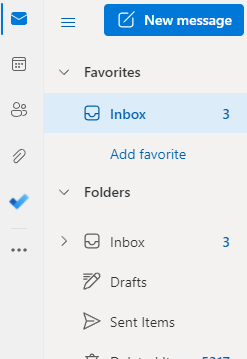
1: Click the below link to access the webpage.
2: Enter your email address
3: Enter your email password
4: If MFA is enabled, enter the code displayed within your app or approve the popup notification on your smart device.
5: If you are using a shared or public device, then select "No".
6: You should now be able to access your email.
Related Articles
Office 365 - Licenses Types
This article will explain what the different types of Office 365 license types are and what they mean. To arrange a quote, please log a ticket or contact your Account Manager. Exchange Online (Plan 1) Each user gets 50 GB of mailbox storage and can ...Outlook - Accessing a shared Mailbox
Before you can proceed, you need to have access to the shared mailbox you are trying to open. To gain permission to the shared mailbox, please log a support ticket. 1A: If you are not already logged into the OWA, please click here to login. 1B: If ...Office 365 - MFA Setup
Please make sure to have the below ready: • Please make sure you are logged into the Office 365 portal. Clicking here, this will direct you to your Office 365 profile. • Download the Microsoft Authenticator APP from you APP store and install on your ...Change Request
If you require to make a "Change Request" for any system, note we will not action the request unless both the requester and your Business IT Security person sign the attached form. Please download it and fill all the required fields. Once it has been ...5 Reasons to Restart Your Computer
Reasons to Restart Your Computer There are many important reasons to restart your computer. Can you remember the last time you restarted your computer? A week, a month, six months? For some of us keeping files, browser windows, tabs, and programs ...